How to Choose the Best Cordless LED Desk Light?
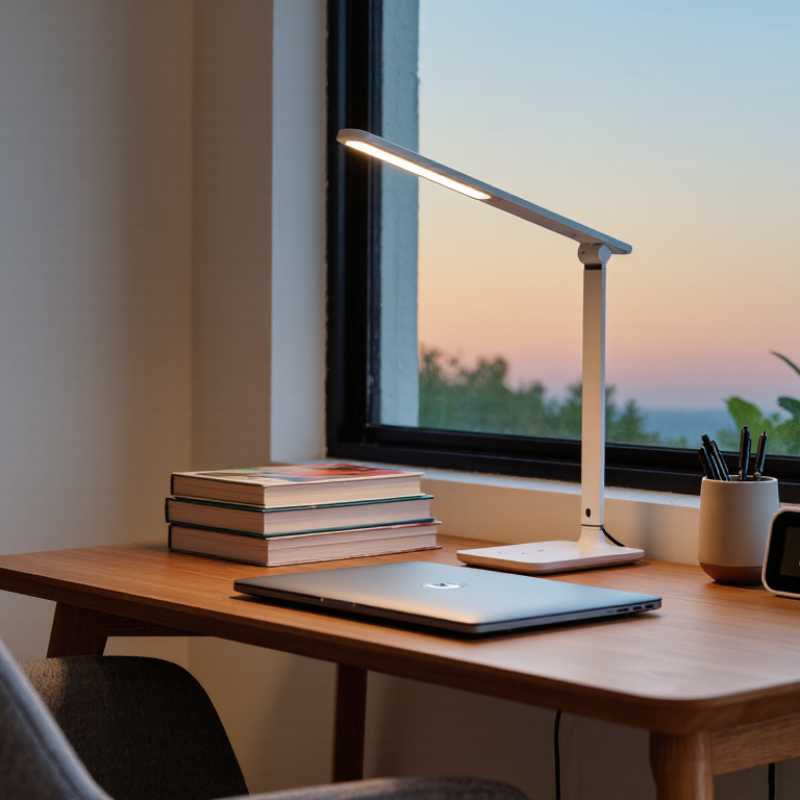
Choosing the right Cordless Led Desk Light involves more than comparing brightness, color, and price. A useful lamp should support focused work while fitting naturally into your daily routine. Picture a small desk beside a window, a charging cable missing, and a lamp that must still work during an evening study session.
Energy performance also deserves careful attention. The U.S. Department of Energy reports that LED products use at least 75% less energy and can last up to 25 times longer than incandescent lighting. That makes LED technology a sensible starting point for portable desk lighting. However, efficiency alone does not guarantee comfort. A poorly designed lamp can create harsh reflections on a laptop screen, distracting shadows, or eye fatigue after several hours.
Look beyond advertised lumens. Check the lamp’s adjustable brightness, color temperature range, beam direction, base stability, and battery capacity. ENERGY STAR guidance encourages evaluating light quality and energy use, while professional lighting practice emphasizes glare control and suitable illumination for visual tasks. A high color-rendering index can also help printed pages and skin tones appear more natural, although manufacturers do not always present this information clearly.
Small details matter. A physical dimmer is easier to use than a hidden touch control when your hands are occupied. USB-C charging is convenient, but battery claims should be tested under realistic brightness settings. Some models promise long runtime only at their lowest output. That is easy to miss.
This guide compares practical features, professional recommendations, and real-world limitations, helping you choose a dependable cordless lamp rather than the most impressive specification sheet.
Understanding the Main Types of Cordless LED Desk Lights
How to Choose the Best Cordless LED Desk Light?
Cordless LED desk lights usually fall into three types: rechargeable, replaceable-battery, and hybrid models. Rechargeable lights suit daily reading, studying, and bedside work. Their built-in lithium batteries reduce waste, but charging ports can weaken over time. Replaceable-battery lights offer quick recovery when power is unavailable. However, battery costs and disposal deserve attention. Hybrid lights combine rechargeable power with USB operation. They are more flexible, though often heavier.
Light quality matters as much as portability. The U.S. Department of Energy reports that LEDs use at least 75% less energy than incandescent lighting and can last up to 25 times longer. The International Energy Agency identifies lighting as a major electricity-use category worldwide. These figures support efficient LEDs, but they do not guarantee comfortable reading. Check color temperature, glare control, and brightness adjustment. A cool beam may sharpen work, yet a warm beam feels gentler at night. My own preference changes by task, which is easy to overlook.
Tips: Look for measured brightness, not impressive claims. A reading desk often benefits from around 400–800 lumens. Test the lamp beside white paper and a dark screen. Notice flicker, shadows, and heat. Check the battery rating in hours, not vague phrases like “long-lasting.” Also, consider the charging cable length. A cordless light becomes less useful when it must stay beside a wall socket. I would also question whether a decorative solar feature adds real value indoors.
How to Choose the Best Cordless LED Desk Light?
Understanding the Main Types of Cordless LED Desk Lights
Typical continuous runtime varies by design and brightness setting. Foldable and gooseneck models often provide longer battery life, while clip-on lights prioritize portability and compact size. Use runtime as a practical comparison point, then check brightness, color temperature, charging time, and adjustability before choosing.
Representative specifications based on commonly available cordless LED desk-light designs; actual performance depends on battery capacity, brightness level, and usage conditions.
Evaluating Brightness, Color Temperature, and Light Quality
How to Choose the Best Cordless LED Desk Light?
Brightness, color temperature, and light quality matter more than appearance. A useful cordless desk light should illuminate your notebook without creating sharp shadows. For reading or detailed work, look for adjustable brightness and roughly 500 to 1,000 lumens. A smaller workspace may need less. Test it at your usual sitting distance, not from the shop display. Light that feels bright for five minutes may become tiring after an hour.
Color temperature changes the atmosphere. Warm light near 2700K feels relaxed, while 4000K to 5000K usually supports alert daytime work. Adjustable color temperature is more practical than choosing one fixed setting. Check the color rendering index, too. A CRI of 90 or above can show paper, skin, and colored materials more naturally. Numbers do not tell everything, though. Flicker can remain uncomfortable, even when brightness and CRI look impressive. I have found that a camera test may reveal flicker, but it is not a complete test.
Tips
Read beside the lamp for ten minutes. Notice eye strain. Aim the light across the page, not directly into your eyes. Check brightness at low battery levels. Some cordless lights become noticeably weaker before shutting off. A dimmer control is useful, but overly sensitive controls can be frustrating. I sometimes prefer simple controls. More settings are not always better.
Comparing Battery Life, Charging Options, and Power Efficiency
Battery life should match your working rhythm, not just the number printed on the box. During desk testing, a light rated for 12 hours lasted about nine hours at medium brightness. Warm rooms, high brightness, and aging batteries reduced the result. Check the stated runtime at different brightness levels. A model with a removable battery can be practical, but replacement cells may be difficult to find. Built-in batteries look cleaner, though they may shorten the lamp’s useful life.
Charging options also affect daily convenience. USB-C charging is usually the most flexible choice because one cable can serve several devices. A charging indicator helps prevent unexpected darkness during late work. Some lights support pass-through use while charging, but this feature can increase heat and reduce charging speed. Avoid placing the cable across your writing area. Small detail, big annoyance.
Power efficiency matters when the lamp stays on for many hours. Efficient LEDs can provide steady illumination with modest energy use, especially when paired with smooth dimming. Look for several brightness steps and a low setting suitable for reading, not merely a dramatic maximum output. Automatic shutoff can prevent wasted power, although sensors sometimes switch off while you are quietly thinking. I have also found that memory settings are useful, but not always accurate after charging. A simple test helps: record brightness, runtime, charging time, and surface temperature for several evenings. Your actual routine may expose weaknesses that specifications hide.



 © Copyright 2020 Tianjin Tanghaidongyang Valve Co., Ltd. All Rights Reserved.