Why Choose 12 Core Fiber Optic Cable?
Choosing a 12-core fiber optic cable can simplify network planning when several optical links must share one route. A 12 Fiber Optic Cable contains twelve individual fibers within a protective structure. Each fiber can carry a separate signal, subject to the equipment and network design. In a data center, for example, one cable may connect cabinets across a tray while reducing the number of separate cable runs. It can also provide room for planned expansion. That extra room helps.
Fiber count alone does not determine speed or performance. Transceivers, connector type, fiber grade, link distance, and installation quality all matter. A cable that fits today’s layout may not suit a future upgrade. Check the route, termination plan, and required fiber type before ordering. Also consider bend radius: a tight turn near a rack can make installation harder and may affect performance. Small details count.
A twelve-fiber option is not automatically the best choice. A smaller cable may be easier to manage for a simple link, while a larger count may better serve a dense, expanding site. Compare current connections with likely growth, and leave clear records of which fibers are active or spare. In practice, labeling can be overlooked. That is worth correcting early. This guide explores the practical reasons to choose twelve cores, the trade-offs to assess, and the details that help a cable work reliably after installation.
What Is a 12-Core Fiber Optic Cable?
Why Choose 12 Core Fiber Optic Cable?
What Is a 12-Core Fiber Optic Cable?
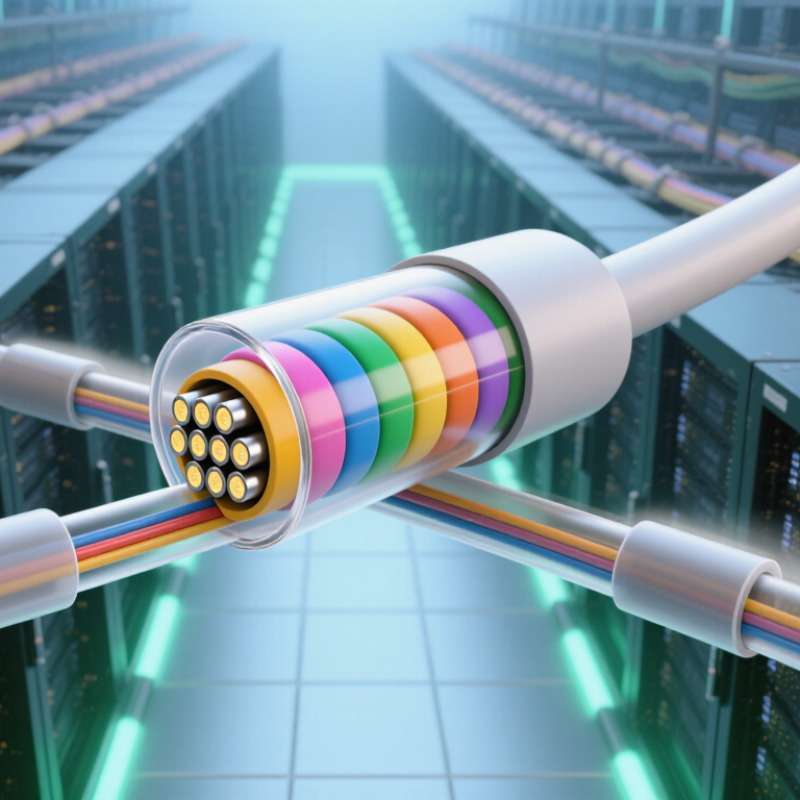
A 12-core fiber optic cable contains twelve individual glass fibers within one protective outer jacket. Each fiber carries light signals independently, so one cable can support several communication paths. The fibers may be arranged loosely inside tubes or tightly around a central strength member. Their exact layout depends on the cable’s design and intended environment.
Twelve cores can suit building connections, equipment rooms, or links between network cabinets. For example, a technician might use six fiber pairs for separate duplex connections, while leaving room for future changes. But twelve cores do not guarantee twelve active links; equipment, connector type, and network design matter too. In practice, cable diagrams can look tidier than the installation. Tight bends, poor handling, or mismatched fiber types can still cause signal loss.
Tips: Check whether the cable is single-mode or multimode, and confirm its connector and jacket ratings. Follow the specified bend radius during installation. After termination, test each core for continuity and signal loss. A spare core is useful, but only if its route and condition are documented.
How Are Its Twelve Fibers Organized?
Why Choose 12 Core Fiber Optic Cable?
How Are Its Twelve Fibers Organized?
A 12-core cable contains twelve separate glass fibers, each carrying light signals independently. Their arrangement depends on the cable’s construction. In a common loose-tube design, all twelve fibers sit inside one protective tube, identified by colored coatings. A familiar color sequence includes blue, orange, green, brown, slate, and white, followed by additional colors. Always check the cable’s documentation, since conventions can vary.
The twelve fibers may also be treated as six logical duplex pairs, with one fiber sending data and another receiving it. That pairing is a planning choice, not a physical rule built into every cable. Some designs arrange fibers in a flat ribbon instead of a tube. At a splice tray, technicians match each fiber by color and record its destination. Small detail. Big consequence. One swapped strand can interrupt a link or complicate troubleshooting. The scheme sounds tidy; real trays rarely stay tidy. Clear labels, careful handling, and a verified fiber map make the layout easier to inspect and maintain.
What Capacity and Performance Benefits Does It Offer?
A 12-core fiber optic cable carries twelve individual fibers in one protective sheath. That is useful. In a small office, a network cabinet might use several fibers for active links while keeping spare cores ready for expansion. A duplex connection typically uses two fibers, one for each direction, so twelve cores can support up to six such connections when equipment and design allow. The extra capacity can reduce the need to install another cable when adding access points, cameras, or switches.
Performance depends on more than fiber count. Fiber type, transceiver compatibility, connector quality, and cable length all affect achievable speed and signal loss. A carefully installed 12-core cable can provide clean, stable links across a building or between cabinets. Keep bends gentle. Tight turns can increase loss, and poor terminations may undermine otherwise good equipment. One detail is easy to miss: spare fibers are valuable only when they are documented and tested. Labeling each core and recording test results makes later changes less of a guessing game. More cores do not automatically mean faster service, but they offer room to grow without adding another cable run. That flexibility can matter in busy routes, though it should be balanced against installation cost and actual demand.
Why Choose 12 Core Fiber Optic Cable? What Capacity and Performance Benefits Does It Offer?
Note: Link counts are illustrative. Actual capacity and reach depend on the transceivers, fiber type, connectorization, and network design.
Where Is 12-Core Fiber Cable Commonly Used?
A 12-core fiber optic cable is commonly used for backbone connections between network rooms, buildings, and equipment cabinets. In an office campus, it might run through underground ducts from the main server room to several smaller buildings. Each core can support a separate optical path, depending on the transceivers and network design. With standard duplex links, two fibers are often used per connection, while unused cores can provide room for later changes. That sounds neat on paper. Real sites are rarely that tidy.
These cables also appear in data centers, industrial facilities, security systems, and broadband access networks. A data center may use them to connect switches across rows of racks; a factory may need them between control rooms and remote equipment areas. Fiber is useful where long distances or electrical interference make copper less suitable. Still, core count alone does not determine performance. Installers must check the cable’s indoor or outdoor rating, route, connector type, and minimum bend radius. A tight corner can cause trouble. Leaving spare cores is sensible, but the right amount depends on expected growth and repair needs. Planning for every possible future use can add cost without much benefit.
What Factors Matter When Choosing a 12-Core Cable?
Choosing a 12-core fiber optic cable starts with the route, not the core count. Estimate how many links are needed now, then allow room for expansion or a failed fiber. Extra cores are useful, but they add little value if the cable cannot fit the pathway or meet the network’s distance needs. Less can be more.
Check whether single-mode or multimode fiber suits the equipment and transmission distance. Confirm the cable’s indoor, outdoor, or duct rating, along with moisture protection and crush resistance. A cable routed through a damp underground duct needs different protection from one installed in a clean equipment room. Details matter. Also check minimum bend radius; tight corners can raise signal loss even when the cable looks undamaged.
Connector type, splice method, and measurable loss limits should match the installation plan. Ask for test results, such as insertion-loss measurements, rather than relying only on a printed specification. Think about termination access, too: twelve fibers are manageable, but crowded trays can make identification and maintenance awkward. I would not choose solely by price or a familiar cable description. Those shortcuts can miss the conditions at the actual site.
Why Choose 12-Core Fiber Optic Cable?
A 12-core cable can support up to six conventional duplex links, with each link using two fibers. The chart shows example ways to allocate the 12 fibers between active links and spare capacity.
These are planning examples, not fixed industry rules. When choosing a cable, also consider single-mode or multimode fiber, installation environment, connector compatibility, route length, and room for future expansion.



 © Copyright 2020 Tianjin Tanghaidongyang Valve Co., Ltd. All Rights Reserved.